Last updated:
Making Tax Digital for Landlords: What You Actually Need to Do
A plain-English, step-by-step guide to the new MTD requirements - based entirely on official HMRC and GOV.UK sources. No jargon. No panic.

MTD is here. You don't need to panic.
Making Tax Digital started on 6 April 2026. The next quarterly deadline is 7 November 2026. If you missed the first update, it is not too late to catch up. Keep recording your rental income and expenses, then send the updates through compatible software.
For the 2026-27 tax year, HMRC won't apply penalty points for late quarterly updates. You still need to send every update that applies before you can submit your tax return.
Check whether you're affected
MTD for Income Tax applies to sole traders and individual landlords - not limited companies. Whether you're in scope depends on your qualifying income - total gross income from self-employment and property combined, before expenses. Only rental and self-employment income counts.
| Start date | You're in scope if qualifying income is... | Based on your... |
|---|---|---|
| 6 April 2026 | Over £50,000 | 2024-25 tax return |
| 6 April 2027 | Over £30,000 | 2025-26 tax return |
| 6 April 2028 | Over £20,000 | 2026-27 tax return |
More detail on how the threshold is calculated is in the MTD deadlines and dates article, which also covers when your first quarterly update is due.
What "keeping digital records" actually means
Simpler than it sounds. HMRC requires a digital record of each income and expense transaction. Three things: date, amount, category. GOV.UK
You don't need to photograph receipts, scan invoices, or set up bank feeds. You need a record of what came in and what went out, stored digitally.
A spreadsheet with columns for date, description, category, and amount meets the requirement - provided it's digitally linked to software that can submit to HMRC.
Digital record-keeping replaces your existing record-keeping obligation - it's not an extra task on top.
Excel myths - busted
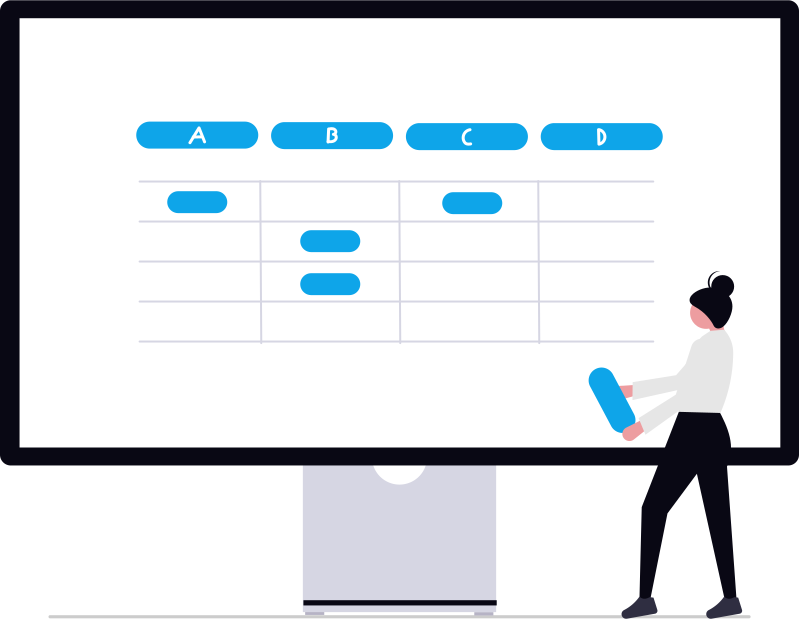
There's a widespread misunderstanding that MTD means the end of spreadsheets. It doesn't. HMRC explicitly supports spreadsheets with bridging software. GOV.UK
A spreadsheet is the right tool when your property affairs are straightforward - predictable rental income, a manageable number of expenses, and no need for invoicing or payroll. If you have dozens of properties, complex VAT situations, or multiple employees, full accounting software might be worth it. But for most individual landlords, a spreadsheet with bridging software does the job.
Register with HMRC for MTD
You need to sign up for MTD for Income Tax through GOV.UK. You'll use your Government Gateway credentials - the same ones you use for Self Assessment. If you don't have a Government Gateway account, you'll need to create one first.
If you have an accountant or tax agent, they can sign up on your behalf through their agent services account. You'll need to authorise them to act for you.
Choose your software
You need MTD-compatible software to submit your quarterly updates and tax return to HMRC. You have two main options:
HMRC maintains a list of compatible software: Find MTD-compatible software on GOV.UK.
If you want to keep your spreadsheet rather than switch packages, aligned.tax is free, HMRC-recognised bridging software built for landlords - see free MTD software for landlords, or start from a free landlord bookkeeping template that is already structured for quarterly updates.
Start recording transactions
From 6 April 2026, record each income and expense transaction digitally. For each transaction you need: the date, the amount, and the category (e.g. rental income, repairs, insurance, agent fees). Then upload your spreadsheet to aligned.tax each quarter and Smart Map maps the columns for you.
You can use a spreadsheet, accounting software, or any digital tool - as long as the data can flow to HMRC through compatible software without manual re-typing.
HMRC requires you to keep records for at least 5 years after the 31 January submission deadline for the relevant tax year. So for the 2026-27 tax year, keep records until at least 31 January 2033.
Expenses and simplified expenses for landlords
As a landlord, you can deduct allowable expenses from your rental income. Common landlord expenses include:
- Letting agent fees and management charges
- Buildings and contents insurance
- Maintenance and repairs (but not improvements)
- Council tax, water rates, and utility bills (if you pay them)
- Ground rent and service charges
- Accountancy and legal fees
- Advertising for tenants
- Vehicle costs for travelling to your properties
- Office costs if you manage properties from home
Simplified expenses
If you use your own vehicle to visit properties, you can use simplified expenses instead of tracking actual costs. The mileage rates for the 2026/27 tax year are:
- 55p per mile for the first 10,000 miles in a tax year
- 25p per mile after that
If you work from home managing your properties, you can claim flat-rate simplified expenses:
- 25-50 hours per month: £10 per month
- 51-100 hours per month: £18 per month
- 101+ hours per month: £26 per month
Also self-employed? What changes
If you're both a landlord and self-employed, both income sources count towards your qualifying income threshold. For example, if you earn £30,000 from self-employment and £25,000 from rental income, your qualifying income is £55,000 - which puts you in scope from April 2026.
You'll need to submit separate quarterly updates for each income source - one for your property business and one for your self-employment. Both go through the same software and follow the same deadlines.
Simplified expenses are available for both self-employment and property income. You can use mileage rates for business travel regardless of whether the journey is for your self-employment or your rental properties.
Send your quarterly updates
Four times a year, your software sends a summary of your income and expenses to HMRC. You don't need to send individual receipts or invoices - just the totals by category for that quarter. Check the quarterly update deadlines for exact dates.
Quarterly updates are cumulative. Your Q2 update includes everything from Q1 and Q2 combined, not just Q2 on its own. This means if you spot an error in an earlier quarter, it gets corrected automatically in the next update.
If you have both property income and self-employment income, you'll send separate updates for each - but they follow the same deadlines.
Submit your tax return
After the tax year ends on 5 April, use your Making Tax Digital software to complete and submit your tax return. Add any other taxable income or gains, make any corrections and check the tax calculation before you submit.
All four quarterly updates must be sent before you can submit the tax return.
The deadline is 31 January following the end of the tax year - the same deadline used for Self Assessment.
Key dates at a glance
| Date | What happens |
|---|---|
| 6 April 2026 | MTD starts - begin keeping digital records |
| 7 August 2026 | Q1 quarterly update due (6 Apr - 5 Jul) |
| 7 November 2026 | Q2 quarterly update due (6 Jul - 5 Oct) |
| 7 February 2027 | Q3 quarterly update due (6 Oct - 5 Jan) |
| 7 May 2027 | Q4 quarterly update due (6 Jan - 5 Apr) |
| 31 January 2028 | Tax return due for 2026-27 tax year |
Decisions you'll need to make
Penalties - and why year one is forgiving
HMRC uses a points-based system for late submissions. Each late quarterly update from 2027-28 onwards, or late tax return, adds one penalty point. When you reach 4 points, you receive a £200 penalty - and another £200 for each subsequent late submission until the points are reset.
Late payment penalties
If you pay your tax late, separate penalties apply:
- 2026-27: 3% at day 15, another 3% at day 30, then 10% a year charged daily from day 31 until the tax is paid, or for up to two years.
- 2027-28: 4% at day 15, another 4% at day 30, then 10% a year charged daily from day 31 until the tax is paid, or for up to two years.
In your first year under the new rules, paying in full or contacting HMRC to arrange a payment plan within 30 days prevents the day-15 penalty. Late payment interest is separate and runs from the first day the payment is late.
The upside no one talks about
MTD is usually framed as a burden, but there are genuine advantages that most guides skip over:
- Tax estimates whenever you want. Because your software has your cumulative income and expenses, you can see a running estimate of your tax liability at any point in the year - not just at year end.
- Errors caught early. Cumulative quarterly updates mean mistakes get spotted and corrected during the year, not in January when you're rushing to file.
- Less to do at year end. With four quarters already submitted, completing your tax return starts from more up-to-date records.
- Submission takes seconds. Once your records are in order, the actual submission through bridging software takes less than a minute. No more printing, posting, or navigating HMRC's Self Assessment forms.
Ready to get started?
Keep your spreadsheet. We handle the submission in under 30 seconds.
No bank feed required. No complex setup. Just your spreadsheet and HMRC.
Sources
- GOV.UK - Making Tax Digital for Income Tax
- GOV.UK - Sign up for Making Tax Digital for Income Tax
- GOV.UK - Find MTD-compatible software
- GOV.UK - Use Making Tax Digital for Income Tax
- GOV.UK - Keeping digital records for MTD
- GOV.UK - Penalties for Making Tax Digital for Income Tax
- GOV.UK - Simplified expenses
- ICAEW - Making Tax Digital for Income Tax
This guide is for information only and does not constitute tax advice. Always check GOV.UK for the latest guidance.
See how aligned.tax works for landlords
aligned.tax reads your rental income spreadsheet and files quarterly to HMRC - no double entry.
Try aligned.tax for landlords