Adding a Client
What this is
Add Client creates one client in your practice and asks HMRC, before anything is saved, whether the person exists and whether you already act for them. If HMRC knows the relationship the client arrives authorised; otherwise the client page opens ready to send an invitation. To add many clients at once, use Import clients.
What you see on screen
Add Client at /app/clients/add is a single form, Client Details:
- Authorisation type - Main agent or Supporting agent
- Client Name - required
- Client Email - required; the invitation is sent to it
- Phone - optional
- National Insurance Number - required, in the format AB123456C
- Postcode - required, and checked against HMRC’s records for that National Insurance number
- Notes - optional, for your own reference
- Add Client
The form is greyed out with a Connect to HMRC first notice until your practice is connected, and asks you to set your Agent Reference Number in Settings if none is saved or HMRC has rejected the one that is.
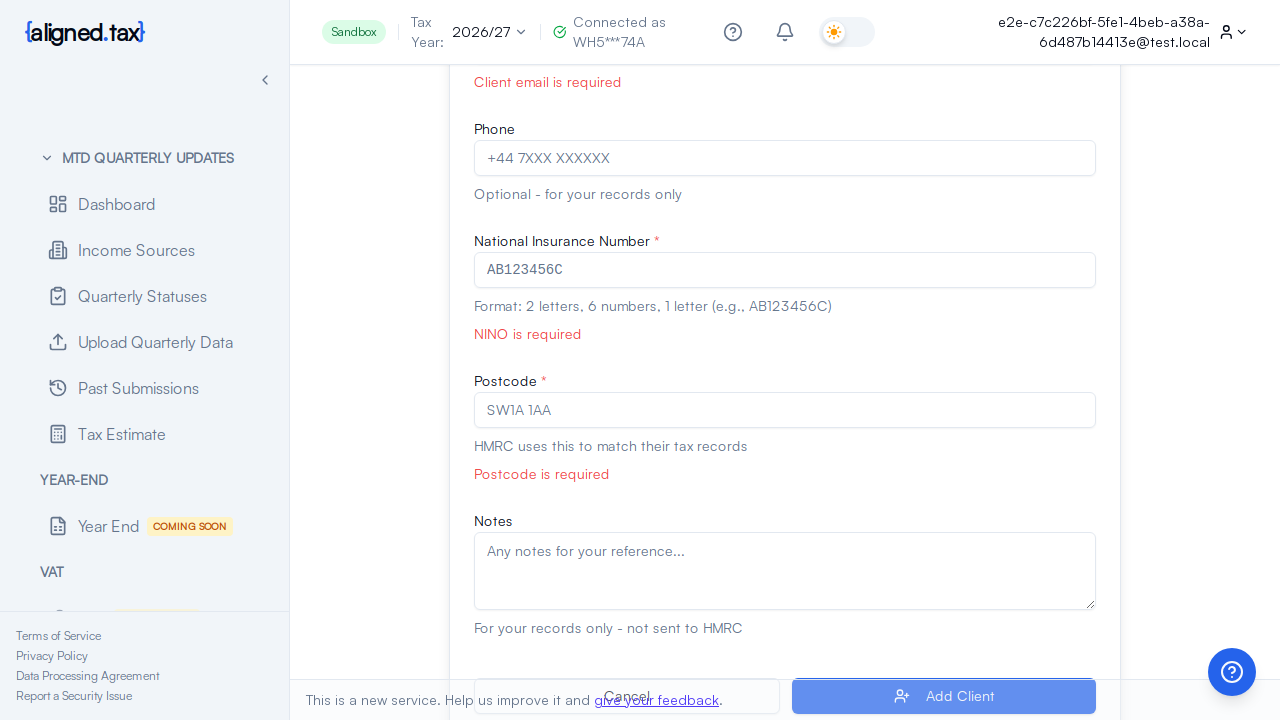
How to add a client
- In the Practice workspace, click Add Client.
- Choose Main agent or Supporting agent.
- Enter the client’s name, email address, National Insurance number and the postcode HMRC holds for them.
- Click Add Client.
- aligned.tax checks the identity with HMRC. If it passes, the client’s page opens and an HMRC invitation is created for you to send. See Authorising a Client with HMRC.
Things to know
- The identity check happens before the client is saved. If HMRC cannot match the National Insurance number and postcode, nothing is created and the form tells you which detail to check. This is deliberate: a client that cannot be authorised is not worth having in the list.
- The postcode must be the one HMRC has, which may be an old address if the client has moved without telling HMRC.
- Invalid prefixes. National Insurance numbers starting BG, GB, NK, KN, TN, NT or ZZ are rejected.
- One client per National Insurance number in your practice. A duplicate is refused with “A client with this NINO already exists”.
- HMRC may already know you act for the client. Then the client arrives as authorised and no invitation is created.
- No UTR is asked for. HMRC identifies the client by National Insurance number for Making Tax Digital for Income Tax.
If something goes wrong
| What you see | Why | What to do |
|---|---|---|
| Connect to HMRC first | The practice is not connected | Use the setup card on the workspace |
| A notice about your Agent Reference Number | No ARN is saved, or HMRC rejected the saved one | Set or correct it in Settings, then try again |
| The identity check could not be completed | HMRC did not answer | Wait a minute and click Add Client again |
| HMRC did not recognise the details | National Insurance number or postcode does not match HMRC’s record | Confirm both with the client; the postcode must be the one HMRC holds |
| “A client with this NINO already exists” | The client is already in your practice | Search for them in the workspace |
FAQ
Can I change the details later?
Yes, with Edit in Client details on the client’s page. Changing the National Insurance number or postcode triggers a fresh HMRC check and may need a new invitation.
What is the difference between Main agent and Supporting agent?
It is the HMRC relationship type you are asking the client to authorise. A main agent has the fuller set of permissions with HMRC. If unsure, choose Main agent.