Managing Your Clients
What this is
The Practice workspace at /app/workspace is your home screen and your client list. Every client is a row with where they are in the journey, their next deadline, whether you have their records, and the one action that moves them forward. The old /app/clients address redirects here.
What you see on screen
At the top: Refresh all HMRC data for the selected tax year, HMRC invitations, Add Client and Import clients. Under that, a banner for anything waiting on a client, then four counters: Total clients, Need attention, Awaiting clients and Due within 30 days. Click a counter to filter the list.
The Clients table has a Search clients box, and Status, Deadline, Quarter and Records filters. Each row shows:
- Client - name, masked National Insurance number and whether you are Main agent or Supporting agent
- Status - HMRC’s view of the relationship and the filing position: Invitation needed, Waiting for the client (with how long the invitation has left), Not signed up to MTD, Overdue, a due date, or filed. Click it for HMRC’s exact wording
- Next deadline
- Records - the records request state for the chosen quarter, with Request records and Review requests
- Next action - one button, for example Send invitation, Resend invitation email, Upload data or Refresh HMRC data
- A … menu with the rest
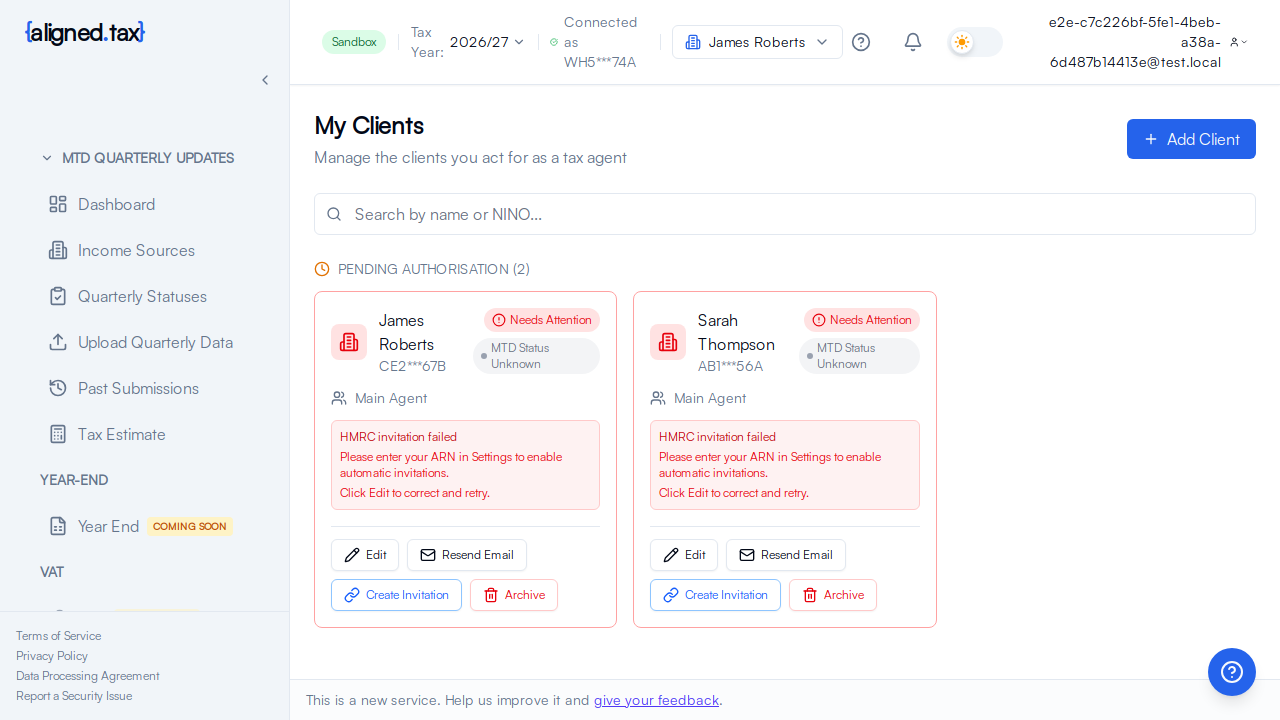
Selecting a row opens the client’s page at /app/workspace/:clientId and makes them the client in the header switcher.
How to
Bring every client up to date with HMRC
- Check the Tax Year in the header.
- Click Refresh all HMRC data. aligned.tax asks HMRC, client by client, about authorisation, MTD status, income sources and quarterly obligations.
- Read the “HMRC checks completed” banner and the updated Status column. Failed checks are shown against the client they belong to.
Find a client
Type in Search clients, or use Status and Deadline to narrow the list. The counters do the same with one click.
Act on a client
Use the Next action button on the row. It always shows the most useful step for that client’s state; nothing else is hidden behind it. Everything else is on the client’s page.
Things to know
- The list follows the tax year in the header. Deadlines, records and the refresh all relate to the selected year.
- HMRC is the source of the Status column. aligned.tax shows what HMRC said when it last checked, with the time. Refresh to ask again.
- Adding a client is not the same as being authorised. A client stays at Waiting for the client until they approve the invitation through their own Government Gateway sign-in; see Authorising a Client with HMRC.
- Invitations expire after 21 days. The row shows the days left; Resend invitation email sends the same link again.
- Records requests are per client, per income source, per quarter. See Requesting Client Records.
- Removing a client from aligned.tax does not revoke the HMRC relationship. Do that through your Agent Services Account.
FAQ
Why does a client show Not signed up to MTD?
HMRC confirmed you act for them but holds no Making Tax Digital for Income Tax registration for them for the selected year. They, or you on their behalf, need to sign up with HMRC, then Refresh HMRC data.
Can I see two clients at once?
The list shows all of them. The other screens (Income Sources, Quarterly Statuses, Quarterly updates, Past Submissions) show one client at a time, chosen in the header.
Where did the HMRC invitations button go?
It is at the top of the workspace. It lists the invitations HMRC holds for your Agent Reference Number.