Authorising your account with HMRC
What this is
Before aligned.tax can fetch your quarters or send an update, HMRC has to record that you allow it. You give that permission by signing in at HMRC once, from inside aligned.tax. This page is the individual’s version; agents connect an Agent Services Account instead, see Connecting to HMRC.
What you see on screen
On first sign-in the setup wizard’s Connect your HMRC account step shows:
- A National Insurance number field, with the hint “It’s on your payslip, P60, or any letter from HMRC”
- What happens next: sign in at HMRC; we fetch your businesses and deadlines; you come back here, ready to file
- A Connect to HMRC button, enabled once the number is in the right format
- An I’ll do this later link
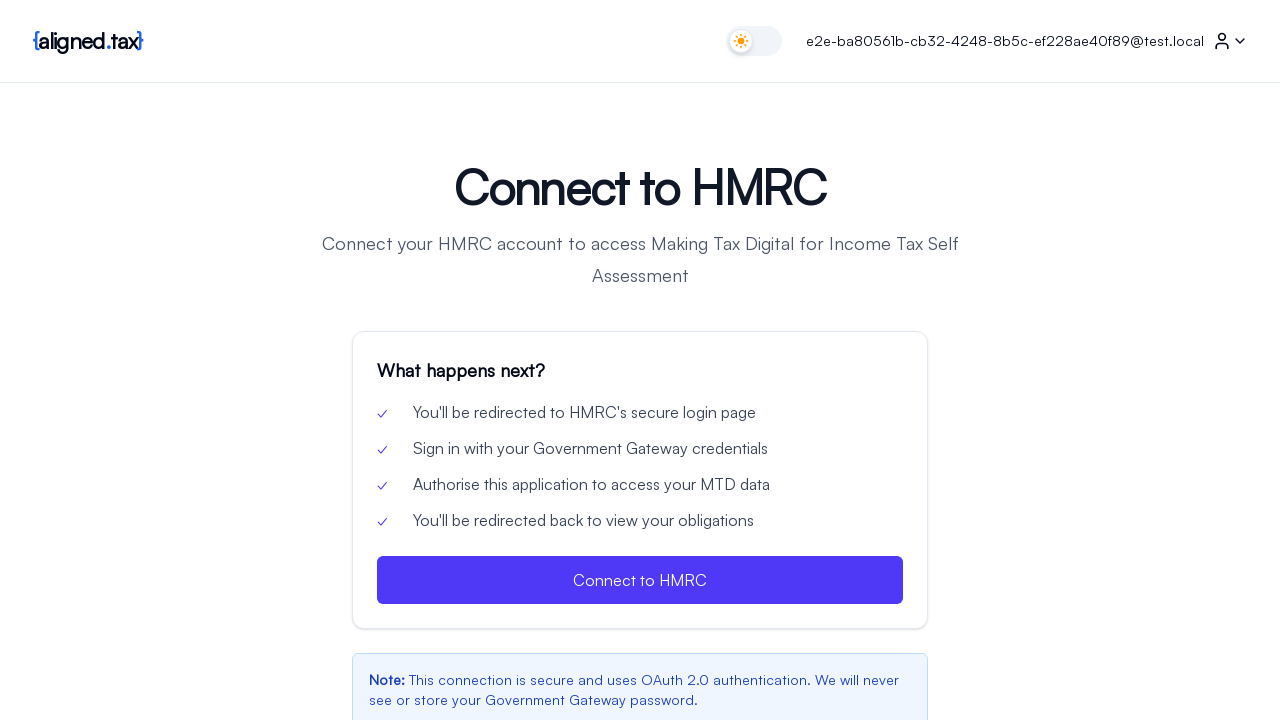
The same step is reachable later from Home’s Connect to HMRC button. When an existing authorisation has expired, the page is titled Reconnect to HMRC, your number is already filled in, and the button reads Reconnect to HMRC.
After HMRC sends you back, a progress page ticks through the checks: your MTD status, your business details, your obligations. Then Home opens.
How to connect
- Enter your National Insurance number: two letters, six digits, one letter, for example AB 12 34 56 C.
- Click Connect to HMRC.
- On HMRC’s site, sign in with your Government Gateway user ID and password. Answer any identity questions HMRC asks.
- When HMRC asks whether to let aligned.tax act for you, give permission.
- Wait for the progress page to finish. If HMRC has no Making Tax Digital registration for you, the page says so and Home explains what to do next.
Things to know
- Your password goes to HMRC, not to aligned.tax. aligned.tax only ever receives an authorisation token, and stores it encrypted.
- Your National Insurance number is stored encrypted and only shown masked, for example “HMRC connected for AB1***56C” in the header.
- The authorisation expires, typically after 18 months. The header then says Not connected and you are asked to reconnect. Your history is kept.
- You can disconnect yourself from Settings with Disconnect from HMRC. Until you connect again aligned.tax cannot fetch obligations or submit.
- Not signed up for MTD yet? The connection still completes, but the header status explains that HMRC holds no Making Tax Digital registration for you, and you cannot file until you sign up with HMRC. See Who Needs to Comply.
If something goes wrong
The button stays disabled. The number is not in the right format. Prefixes BG, GB, NK, KN, TN, NT and ZZ are never valid.
HMRC will not let me sign in. Use the links on HMRC’s sign-in page or GOV.UK’s HMRC online services help. aligned.tax cannot reset a Government Gateway password.
The progress page stops with an error. Read the message; it names the check that failed. “Not signed up” means HMRC has no MTD registration for that account. A connection error means try again in a few minutes.
I signed in with the wrong Government Gateway account. Disconnect from Settings, then connect again with the right one.
FAQ
Do I need a Government Gateway account?
Yes, one registered for Self Assessment. Create one at gov.uk if you do not have one.
Does reconnecting change anything?
No. It refreshes the permission. Your businesses, obligations and submissions stay as they were.
Can I connect two HMRC accounts?
No. One aligned.tax individual account connects to one HMRC account.