Viewing Submission History
What this is
Past submissions is the record of everything sent to HMRC through aligned.tax, with a receipt for each, plus a live view of the figures HMRC currently holds. Keep it as your audit trail: HMRC can ask for evidence of your digital records, and the receipt and the saved workbook are that evidence.
What you see on screen
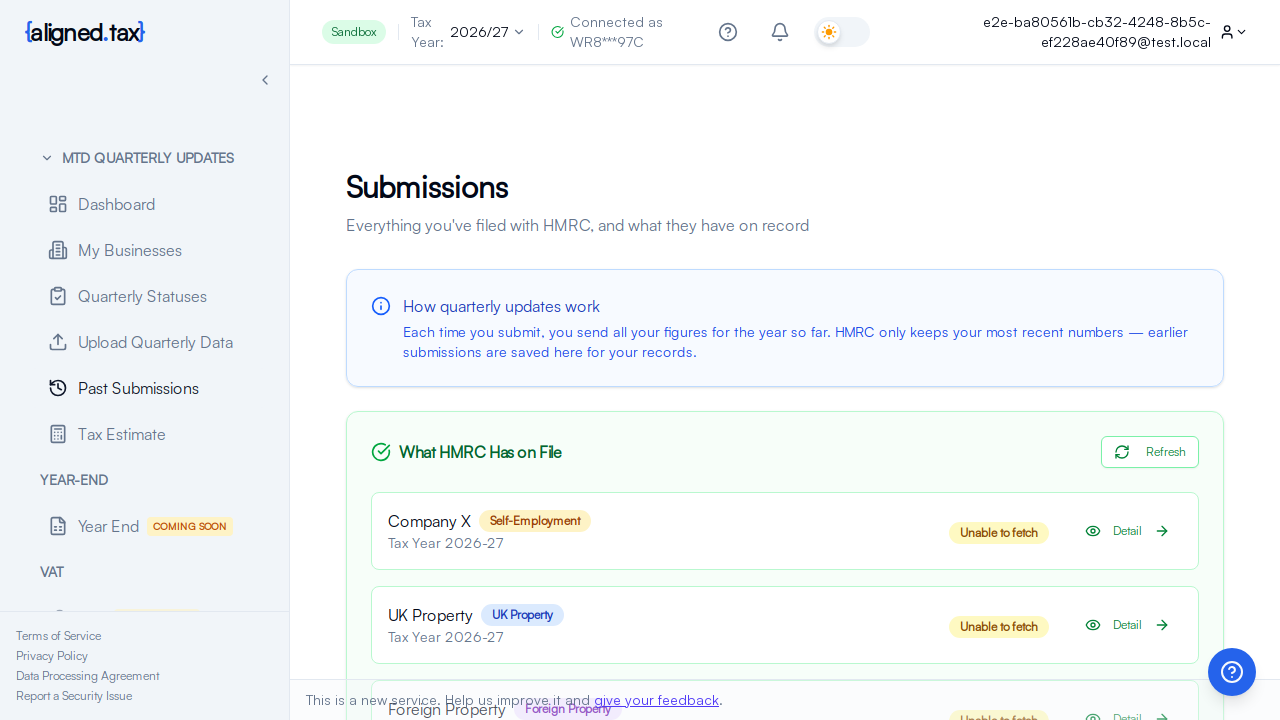
The page is titled Submissions, “Everything you’ve filed with HMRC, and what they have on record”:
- How quarterly updates work - “Each time you submit, you send all your figures for the year so far. HMRC only keeps your most recent numbers - earlier submissions are saved here for your records.”
- What HMRC Has on File - one card per income source for the selected tax year, with a Refresh button and a Detail button. It reads the cumulative figures straight from HMRC, so it includes updates filed through other software.
- Your Submission History - a table with Quarter, Business, Period, Total Income (YTD), Total Expenses (YTD), Status, Submitted and a Detail button per row. The most recent update for a quarter is marked Latest. With nothing filed yet the table says No submissions yet with an Upload Income Data button.
Detail on a history row opens the Submission Receipt: the business and period, the totals for the year to date, the expense mode, whether it was the first submission for the year, every income and expense line as sent, the HMRC reference, the time submitted, the source file (which you can download), and Download Receipt as PDF.
If you’re an accountant
The page shows the client chosen in the header switcher. See Working in a client’s context.
How to
Find a receipt
- Open Past submissions.
- Find the row by quarter and business; the newest update for a quarter is marked Latest.
- Click Detail, then Download Receipt as PDF if you need a file.
Check what HMRC holds
- Under What HMRC Has on File, click Refresh.
- Click Detail on a business card to see the cumulative figures HMRC returned.
Correct a quarter
Use Quarterly updates to upload a corrected workbook for the same quarter. The new submission appears as a new row marked Latest, and the earlier row stays for your records. See Correcting a Submitted Quarter.
Things to know
- Every submission is kept, superseded ones included. HMRC holds only the latest figures; aligned.tax keeps them all with their receipts.
- Updates filed elsewhere do not appear in the history, but they do appear in What HMRC Has on File and in Quarterly Statuses, because those come from HMRC.
- The Period column is the obligation’s period, always from 6 April, because updates are cumulative.
- The source file is available from the receipt for as long as the workbook was saved at review time.
FAQ
Why is a submission I made missing?
Check the Tax Year in the header and, for agents, the client switcher. If it was filed through other software it will not be in this history; check What HMRC Has on File instead.
What is the difference between the history and What HMRC Has on File?
The history is what aligned.tax sent. What HMRC Has on File is what HMRC holds now, whoever sent it. When they differ, HMRC’s figures are the ones that count.
How far back does the history go?
To the first update sent through aligned.tax for the account. Use the tax year selector to see other years.