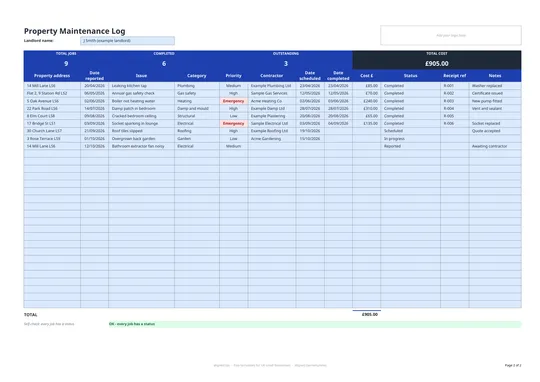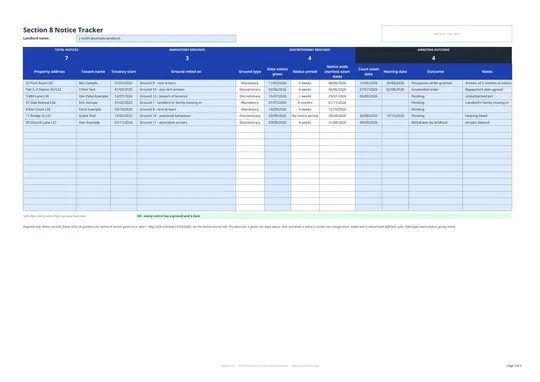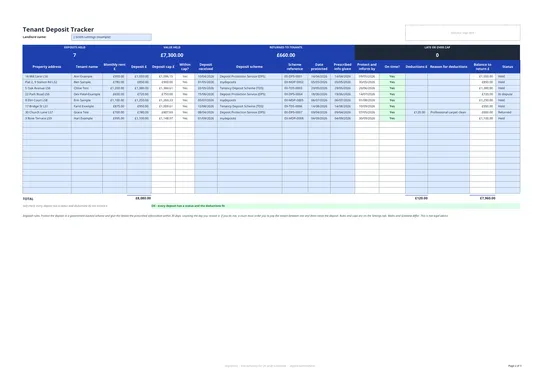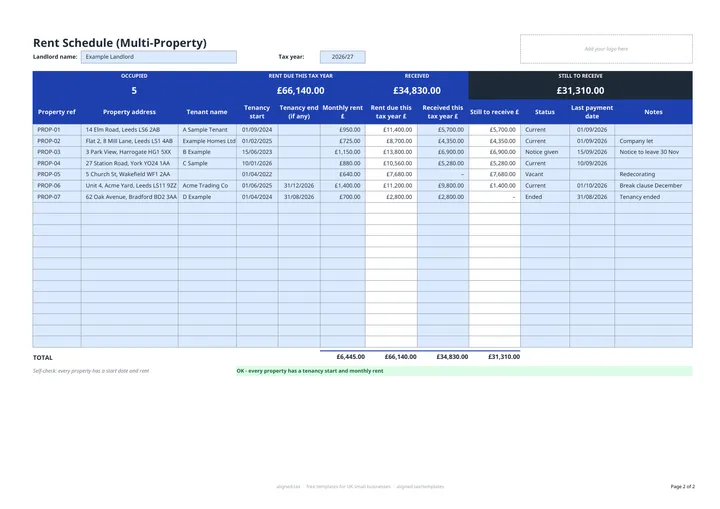
A rent schedule shows, for each rental property, the rent due in the tax year, what you received and what is still outstanding. This free Excel template covers up to 20 properties: enter the tenancy start date and monthly rent, and it works out rent due from 6 April to 5 April, even for part-year tenancies.
What does the rent schedule track?
| Column | What it shows |
|---|---|
| Rent due this tax year £ | Monthly rent multiplied by the rent days in the tax year |
| Received this tax year £ | What you have actually been paid |
| Still to receive £ | Rent due less rent received |
| Status | Current, Notice given, Vacant or Ended |
| Last payment date | When rent last came in |
The band at the top shows how many properties are occupied (Current plus Notice given), and the year’s totals for rent due, received and still to receive.
Why use the tax year, not the calendar year?
Rental profits are taxed by tax year, 6 April to 5 April. Matching the schedule to that period means the received total lines up with the rental income you report. A self-check under the table flags any property missing a start date or rent, or with an end date before its start date, so a gap does not slip into your totals.
Using the schedule with your property accounts
This schedule tracks rent only, not expenses. If your qualifying income from property and self-employment is over £50,000, Making Tax Digital for Income Tax has applied since 6 April 2026, and the threshold falls to £30,000 from April 2027. Read the MTD guide for landlords to see what records you need to keep.